Activate Alta BLUE LINK Integration
Only users who are assigned a Role with Integrations Management permissions can connect partner integrations. See Edit Dairy User PermissionsEdit Dairy User Permissions and Manage Dairy RolesManage Dairy Roles for more information.
Follow these steps to configure and integrate Alta BlueLink with VAS and provide consultants view-only access to your herd data in PULSE.
For the most accurate and comprehensive herd analysis, be sure to add parentage details for the animals in your herd. VAS recommends adding the data for all animals for the following standard PULSE/DairyComp 305 items:
- Sire (SID)
- Dam (DID)
- Maternal grandsire (MGS)
- Maternal great-grandsire (MGGS)
This data is used to assess the herd's genomic profile and is the basis of calculations made for specific animal traits and potential improvements.
The breed average is also incorporated into the assessment calculations, but having specific parentage data for the animals in your herd greatly increases the accuracy of the analysis process:
See View Animal Details to learn more about viewing and adding animal item data.
Follow these steps to establish the connection:
- In PULSE, navigate to Partners > Integrations Gallery > Alta BlueLink.
- Click See Details or See Requirements on the Alta BlueLink integration card.
- Follow the Connection Instructions on the right side of the page to establish the connection:
- Click Add New Alias, then complete the following fields:
- Alias: Enter your Dairy Name. If you have multiple dairies, we recommend you use different names for each alias.
- Producer Code: Copy or enter your producer code from your Alta BlueLink account.
- Registration Key: Copy or enter your software registration key from your Alta BlueLink account. Each device used to access Alta BlueLink has a unique registration key.
Follow these steps to see your registration key in your Allflex Heatime Pro or DataFlow software:
- Click the Settings button on the right side of the window.

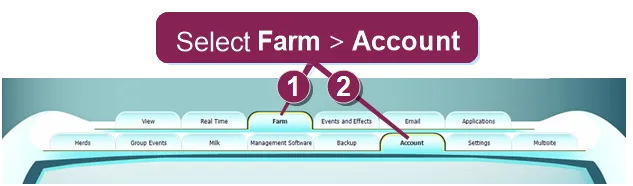
- Go to Farm > Account to view your registration key in the lower right corner of the display.
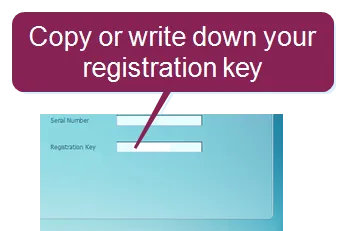
- Write down or copy your registration key.
NOTE: If you do not have a registration key or producer code, contact your Alta BlueLink representative.
- Click the Connection Status toggle and verify the status switches to Active.
- Click Save.
- If necessary, click Edit Integration to make any adjustments or edits and save your changes.
IMPORTANT: If your integration does not automatically connect, contact your Alta BlueLink representative to connect the integration from their system.
Once the data connection is active, your genetic consultant will contact you to begin reviewing your herd's genomic data and analyzing options to improve specific genomic traits of your herd. You will work together to customize and implement the plan, which includes sire selection and animal mating recommendations based on your genetic goals.