Activate Cubex Integration
To view your Cubex integration in the VAS PULSE Platform, the following setup is required:
- Install VAS CowCare
 in DairyComp.
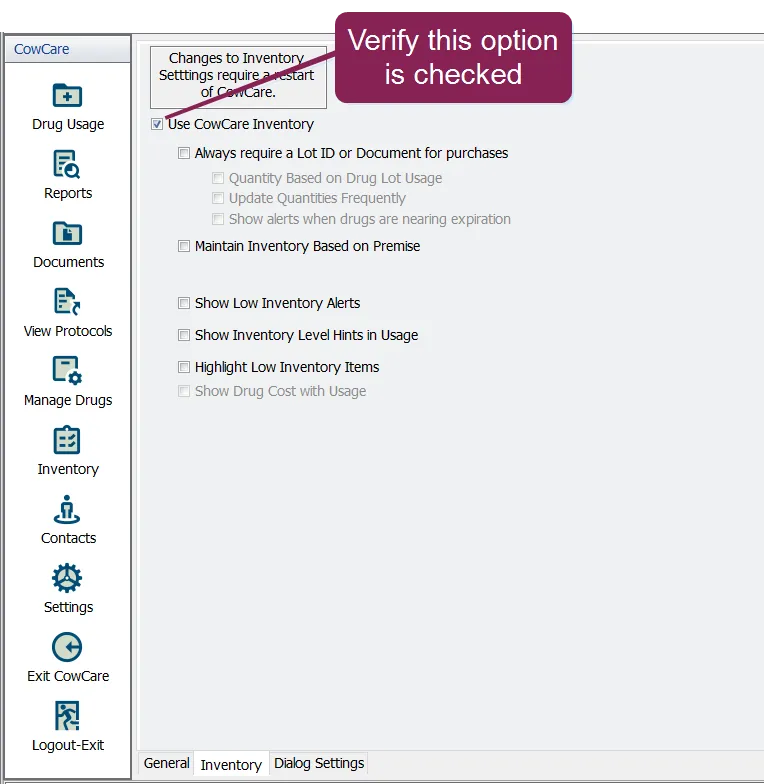
- Check the Use CowCare Inventory option on the Settings > Inventory tab:
- Select View Protocols and note any protocols with a "Drug?" status.
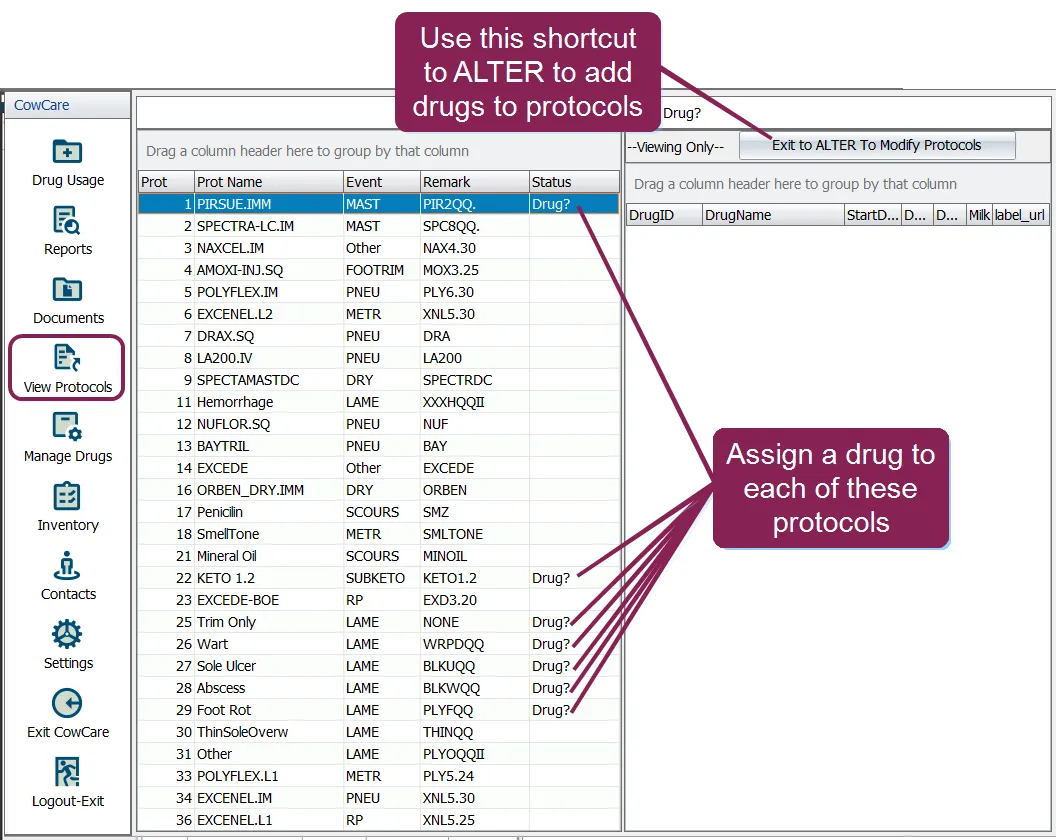
- Use the Exit to ALTER to Modify Protocols shortcut and add drugs to any protocols without drugs. Reference the CowCare User Guide for detailed steps.
- Determine how new drug usage approvals will be handled:
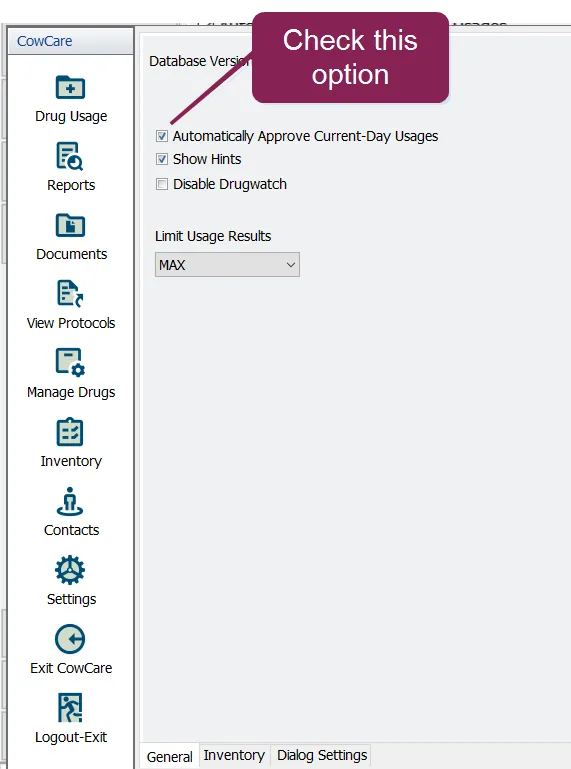
- To approve automatically, check the Automatically Approve All New Usages option in the Settings > General tab.
- To approve manually, use the Approve All Pending or Approve Pending options from the Drug Usage tab:
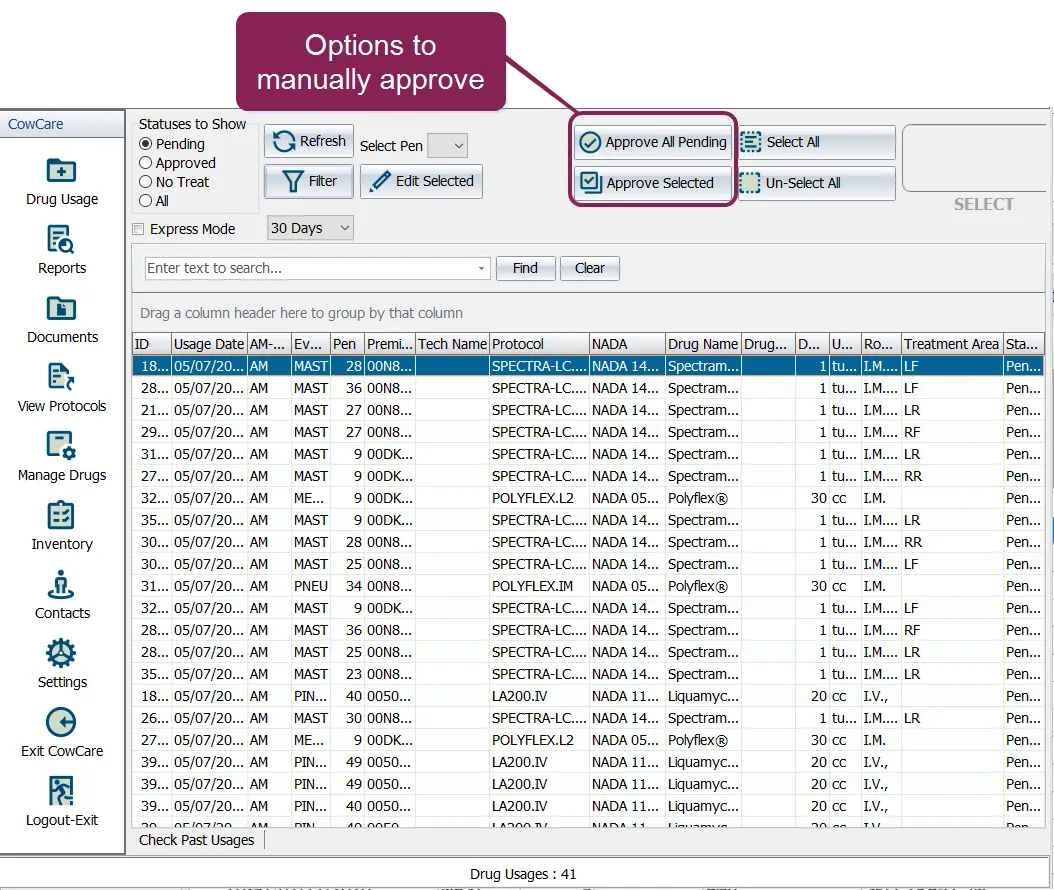
IMPORTANT: For manual approvals, be sure to log in to CowCare and perform approvals daily.
- Assign units to all CowCare drugs.
Create a VAS PULSE Platform account, request access to your dairy, and complete the connection process. See Sign Up and Request Access to a Dairy for more information.
Install and configure Cubex at your dairy. Note your QLink user name, password, and database name during the installation process, as this information will be requested by VAS Support to complete the integration. If your dairy installs more than one Cubex instance, note the database name and credentials for each site.
Once CowCare and Cubex are fully installed and your PULSE account has access to your dairy, complete the following steps to activate the integration and view data on the Micro Technologies Cubex Inventory widget:
- Contact Us to activate the Cubex‑to‑PULSE integration. Be sure to have your VAS PULSE Platform Dairy Name and Cubex database name(s) and credentials prior to contacting VAS Support.
- Once complete, VAS Support will have you verify that you are able to add the Micro Technologies Cubex Inventory widget to a Dairy Dashboard.