Find or Add Animals in Worklists
2 min
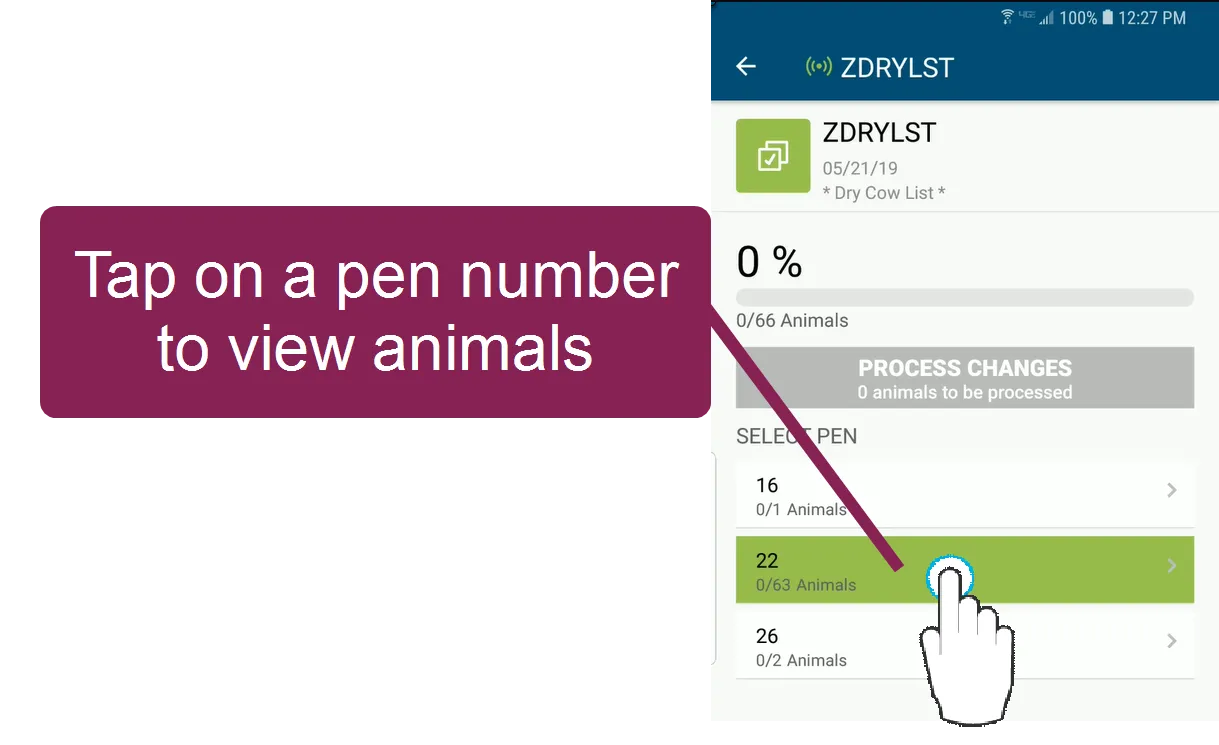
Tap on a pen number to begin updating animals on your worklist.
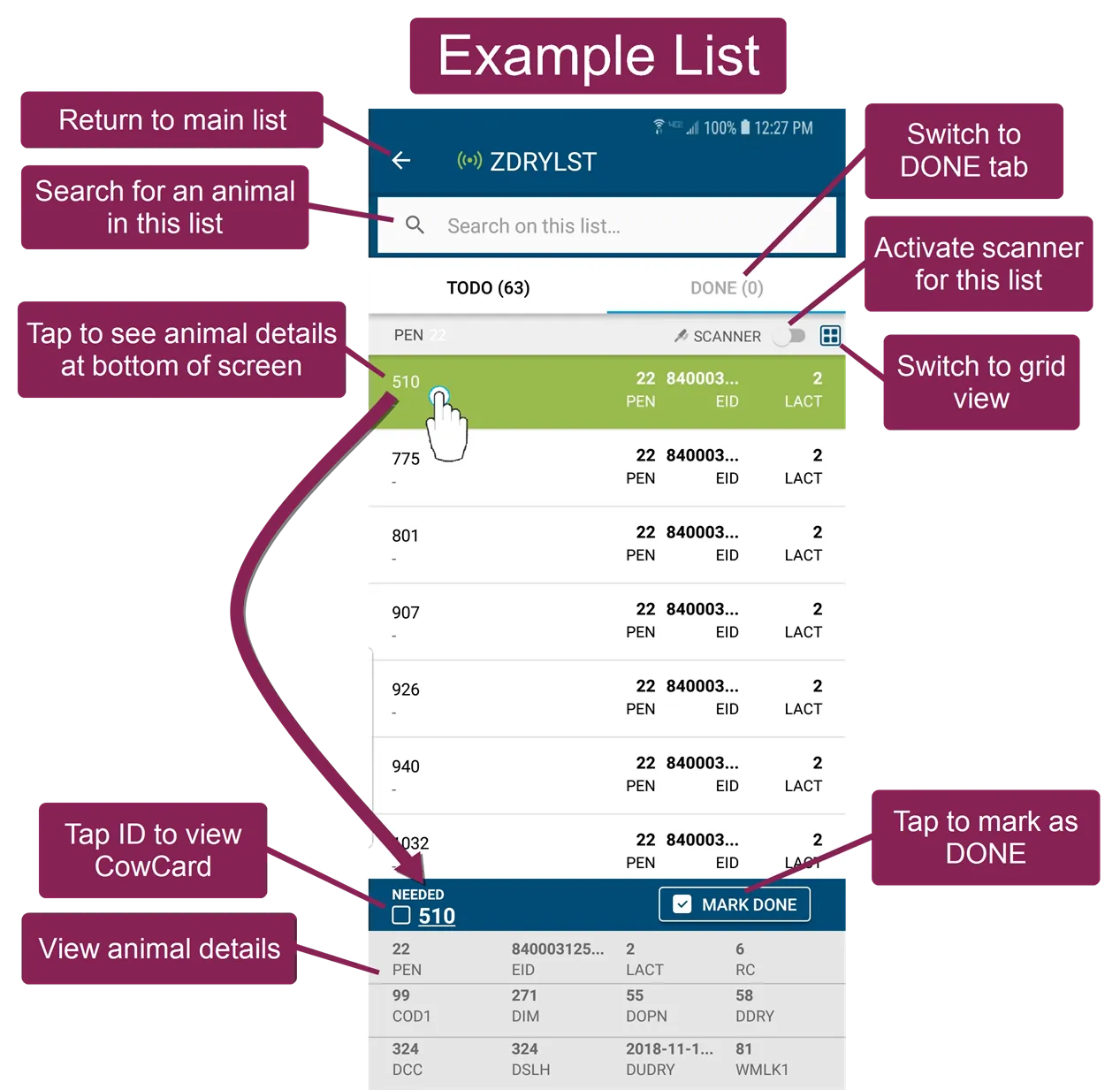
All animals within the pen are displayed by their ID number. You have several options for working with animals in a list, including:
- Marking them DONE,
- Adding them to the queue (vet lists only),
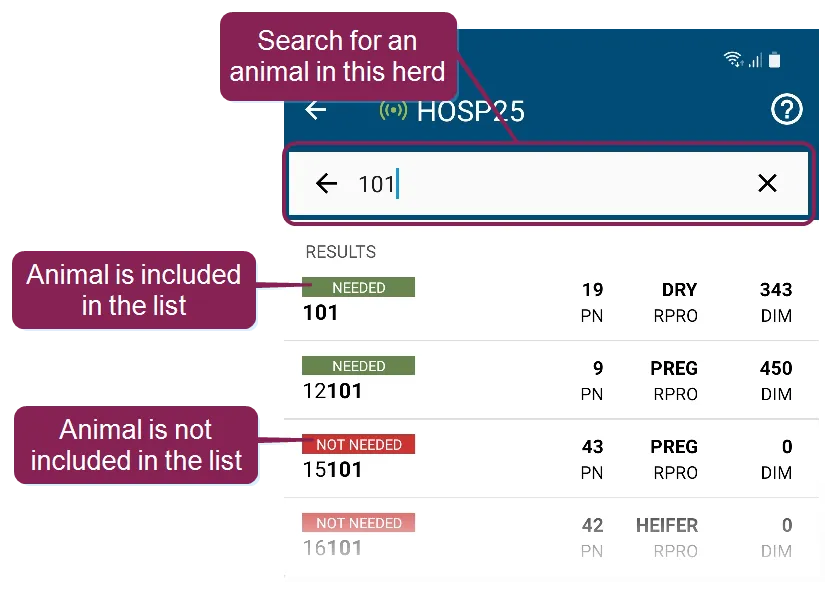
- Searching for an animal,
- Scanning an animal,
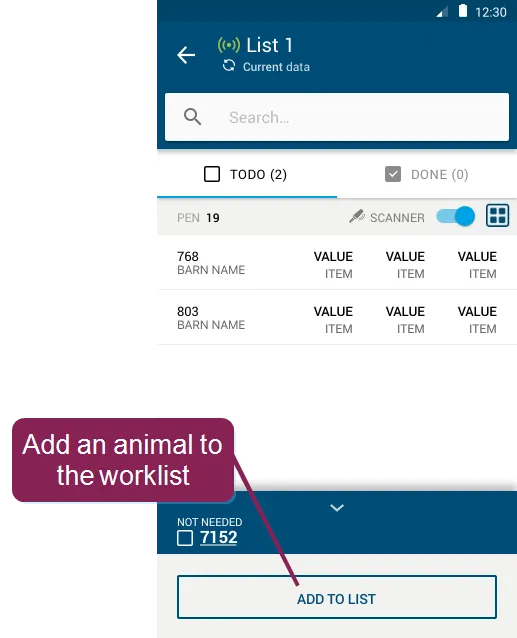
- Adding more animals to a list, and
- Viewing animals that are already processed.
Proceed to Complete TasksComplete Tasks (v1) after you finish finding or adding animals.