Navigating the Mobile App
2 min
When you launch the VAS PULSE Platform mobile app, it opens to the Home page. See the example below to learn more about your options on the Home page.
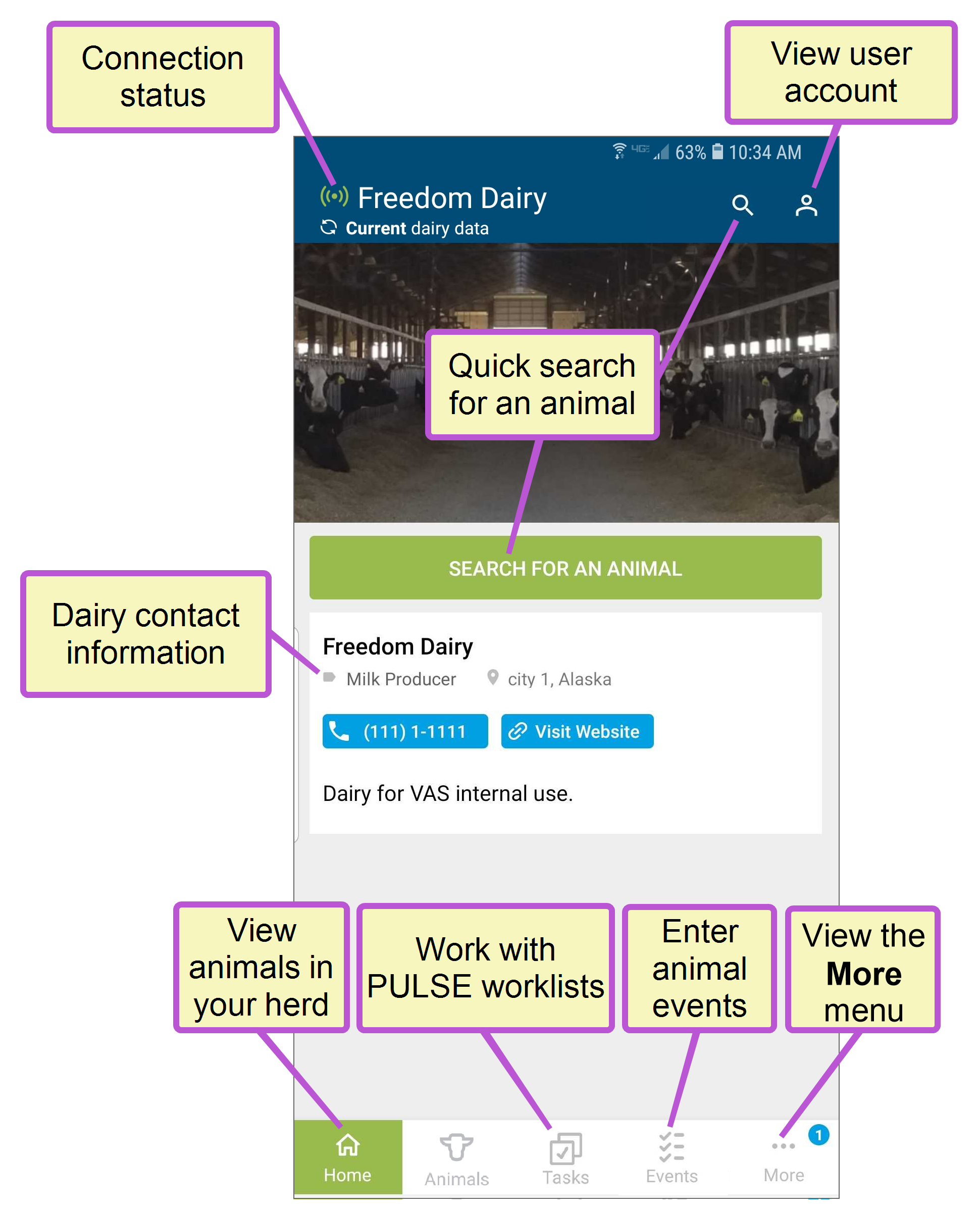
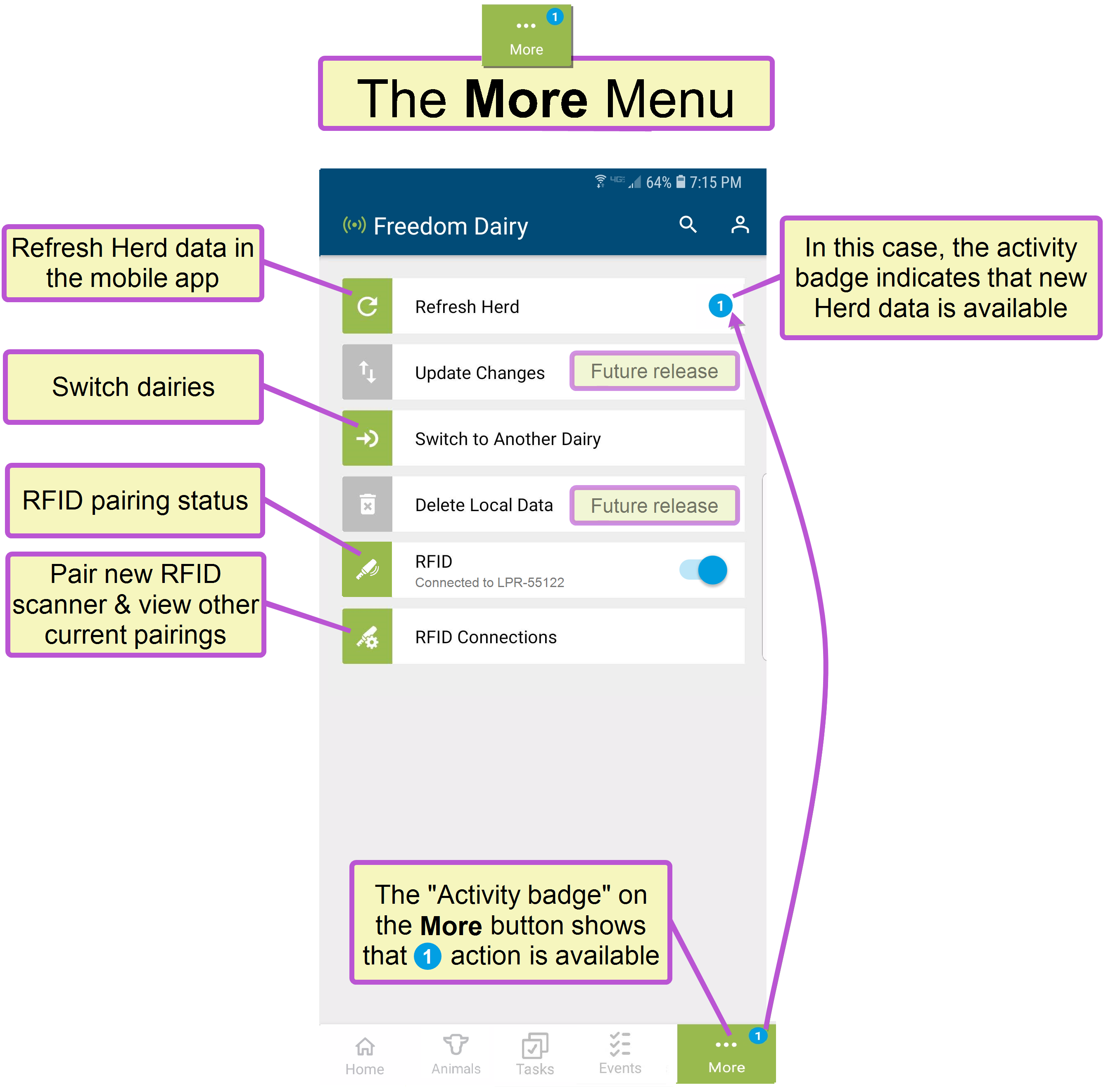
When you launch the VAS PULSE Platform mobile app, it opens to the Home page. See the example below to learn more about your options on the Home page.
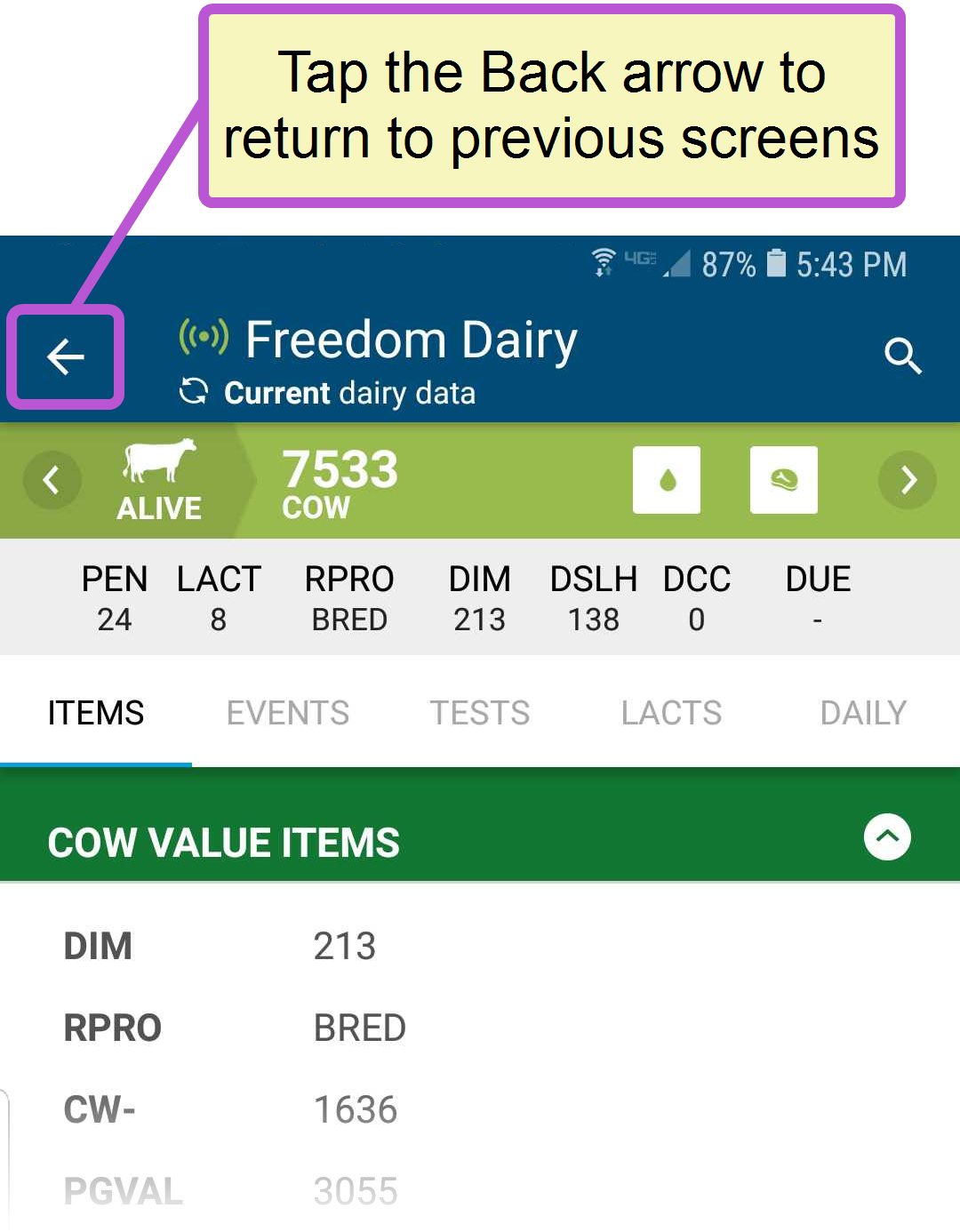
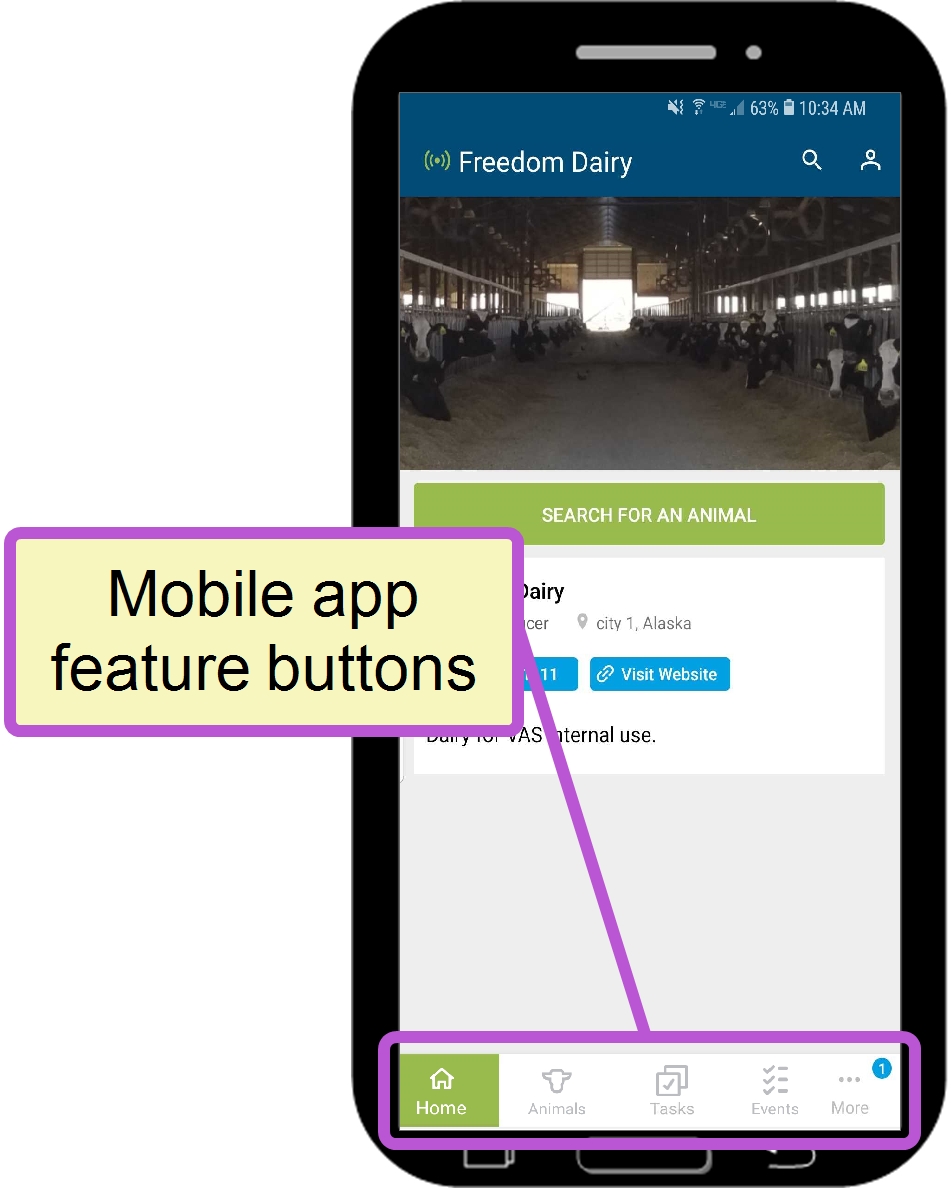
If you do not see the Home button at the bottom of your screen, tap the Back arrow at the top left of the page until you return to one of the main feature screens. From there, you'll find the feature buttons at the bottom of the screen.
EUSA | EULA | Privacy Policy | Trademarks | Contact Us
Copyright © VAS 2026