View Animal Status in the Mobile App
If you want to view the status of specific animals that have been set to DONE in the mobile app, you can check them in the DONE tab for your current worklist.
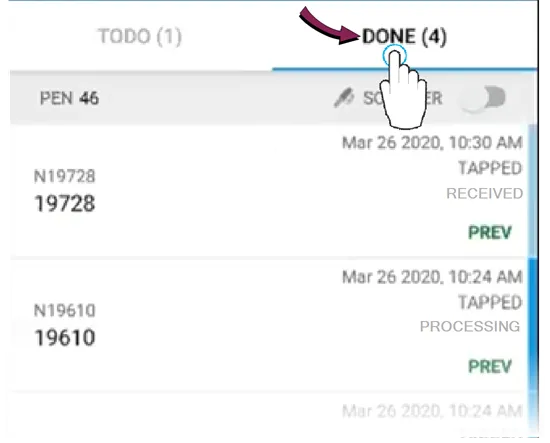
From there, you'll see the status of all updated animals in the list, including:
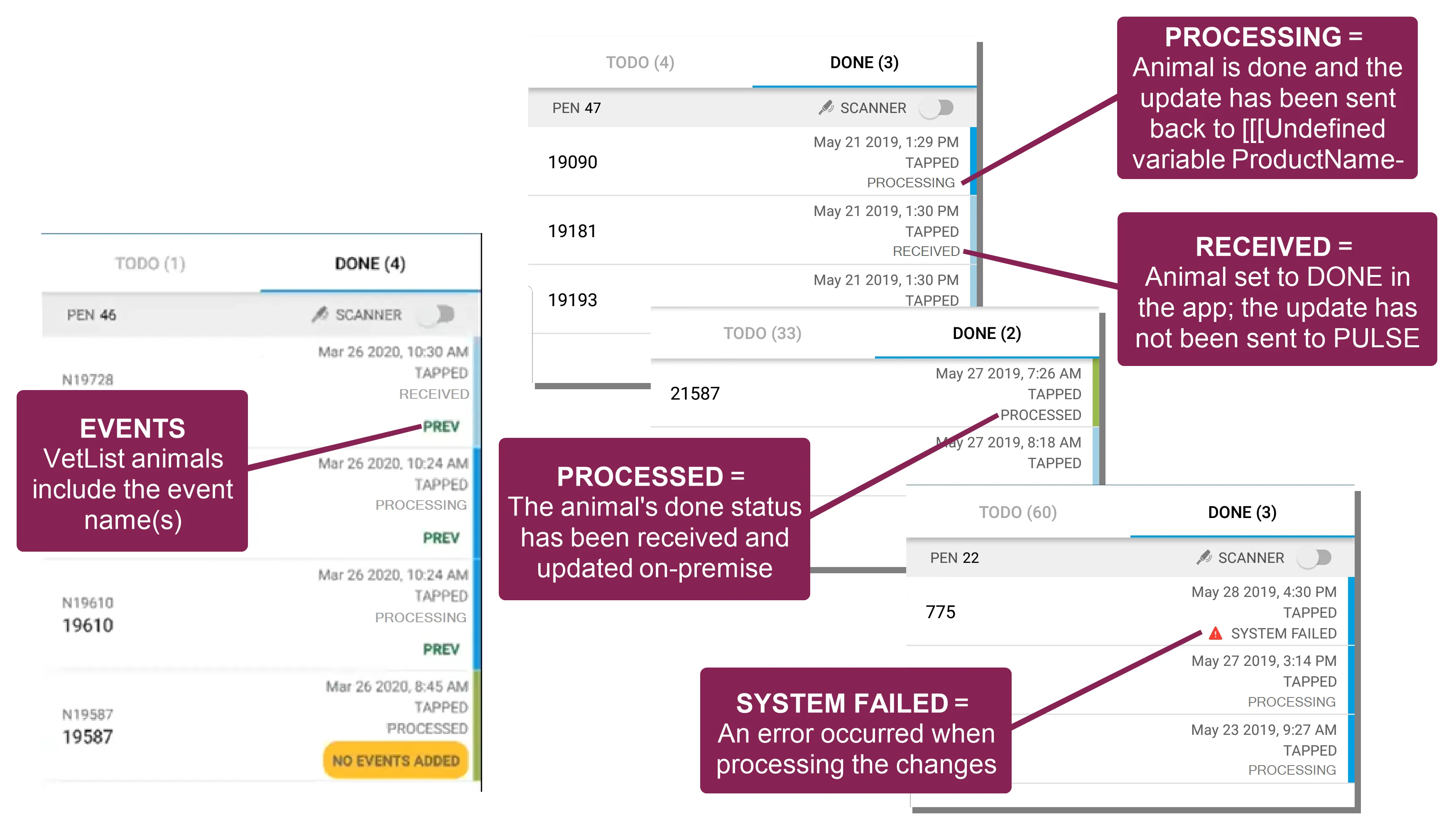
- RECEIVED: If an animal's status is RECEIVED, it means that either you or another PULSE user has set it to DONE in this list but no one has processed that change yet. An animal in this status can be undone and sent back to the TODO tab. As a visual cue, animals in this state are displayed with a pale blue bar to the right (see example below).
- PROCESSING: If an animal's status is PROCESSING, either you or another PULSE user has set it to DONE and then tapped the Process Changes button to send the updates back to on‑premise. As a visual cue, animals in this state are displayed with a light blue bar to the right (see example below).
- PROCESSED: If an animal's status is PROCESSED, it means that the animal was set to DONE, the Process Changes button was used to send the update back to on‑premise, and the on‑premise product has processed the change and updated the animal's record. As a visual cue, animals in this state are displayed with a green bar to the right (see example below).
- WAITING FOR CONNECTION: The app displays this message if you mark an animal as DONE while your device is offline.
- SYSTEM FAILED: If you see an error symbol
 and the message System Failed, it means that the update was not processed successfully when the Process Changes button was tapped. This type of processing failure can occur for several reasons, including communication errors between the mobile app and on‑premise product, or when you or another PULSE user attempts to process an animal that has already been PROCESSED.
NOTE: In addition to status information, any animals marked as DONE from a vet list also include the events added for the animal.
What does "processed" mean?
When an update is fully "processed," it means that both of the following actions have been completed:
- A PULSE user has tapped the Process Changes button to send that animal's DONE status back to PULSE, which changes the status to PROCESSING.
- PULSE, DairyComp, or a VAS integrated partner product has received the change and has updated the animal's record, which changes the status to PROCESSED.
Once an animal's status changes to PROCESSING or PROCESSED in the mobile app, the change can no longer be undone.
To learn more about processing animals in a worklist, see View Tasks & Worklists in the Mobile AppView Tasks & Worklists in the Mobile App (v1) and Process Open Worklist in PULSEProcess Open Worklist in PULSE.