Send Worklist Updates to PULSE and DairyComp
2 min
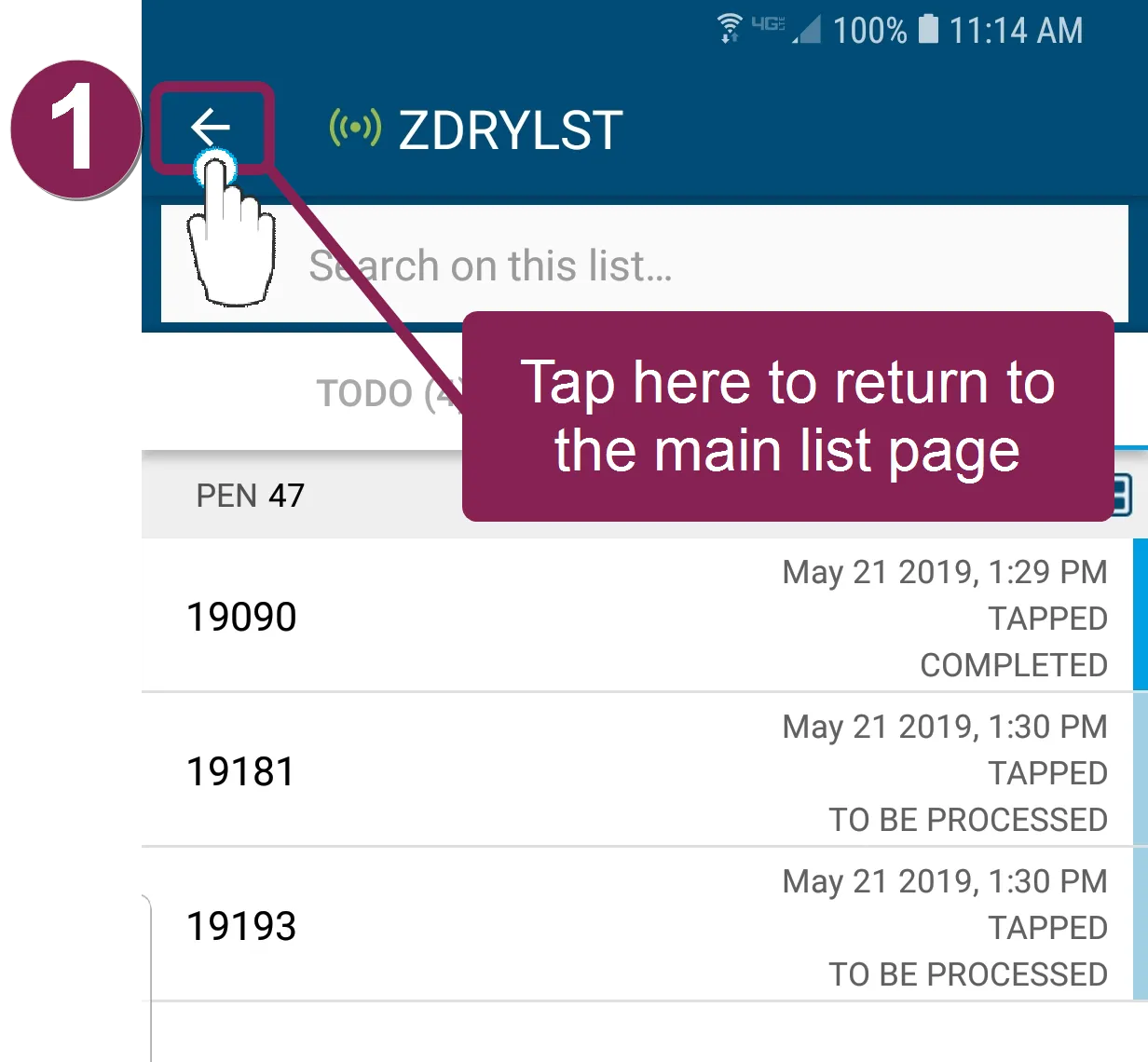
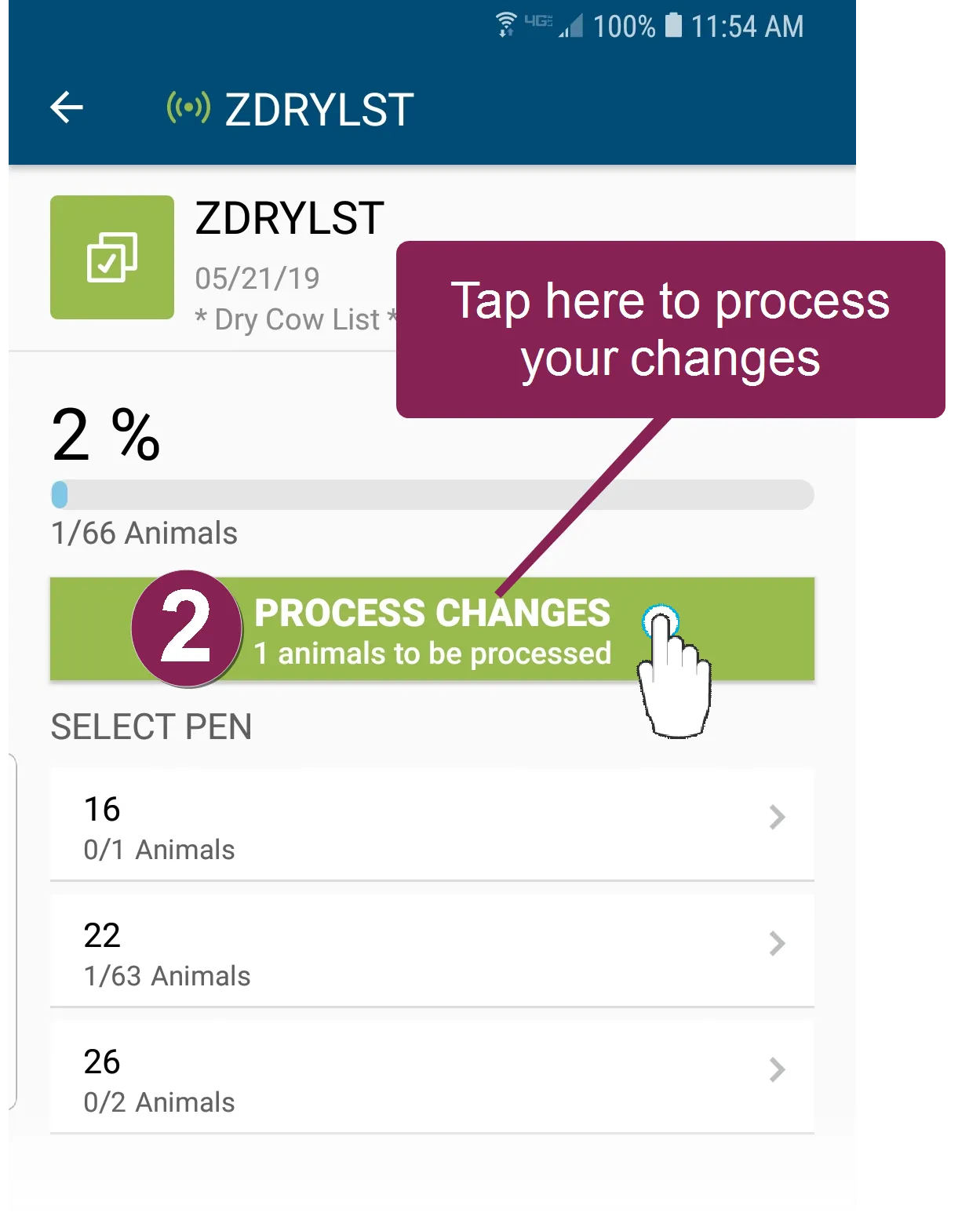
you can process your updates to send them from your mobile devices to pulse (and dairycomp for dcu dairies) anytime follow the steps below to process your pending worklist changes tap the arrow to the left of the list name to go back to the main list from there, tap the process changes button to send the updates back to pulse or vas integrated partner products (wifi or data connection required) what happens when i process changes? when you process changes, it completes all animals that are marked as done and are in the status received once their status changes to processing in the mobile app, you can no longer undo them as long as your device maintains an active internet connection, the mobile app will send processed changes back to pulse and dairycomp approximately every 10 minutes if you do not have an active internet connection, you cannot process changes you will need to tap the process changes button again once your connection is restored if you are using the mobile app in offline , you can still mark animals as done and then tap the process changes button once your device is back online for dairycomp unlimited dairies when dairycomp receives notification that one or more animals on a list is done, it kicks off any corresponding ondone or postprocess routine(s) for those animals see view animal status in the mobile app docid\ yk2n02jjhzolxspkwzow5 to learn more! related topics permissions required to use platform worklists docid\ rpspscneetn461w4ubow5 make pen corrections docid\ uem791rucz2gdm9vyipu7